default

2016-07-10 Schematics – How To Catalog

I wander the Internet and often collect schematics of things I want to learn more about, or want to build.  I have generated many hundreds myself, many of which I have built.  I must have thousands, and hundreds of megabytes of them on the PC.  I just put them in folders inside of folders and name the folders like categories of folders, of categories, etc.  Something like RF for radio frequency, then receivers, transmitters, then under receivers there are superheterodyne, and so on.

But the OS or apps to manage these files doesn’t know how to catalog or search for them.  My blog can categorize posts and search for them.  I would like to do something similar with all the files.  I thought that it might be possible to do some of this with an app for photos, such as Flickr, Google photos, or similar.

My rant (skip down to Back to Software if you aren’t interested)
I have never used one of these services, because I have been ripped off by blogspot, but I only found out why when I read their terms of use.  I found out that my use of their service made me accept their terms, which lets them do whatever they want, whenever they want with no recourse at all if they decide that you are not obeying the terms of their service.  They deleted my blog because they claimed I spammed.  I did not spam.  Period.  But according to their terms, they can consider anything as spam.

As a result, I bought my own domain name and have my blog where *I* and only *I* have say so about what is spam or whatever.  Pictures are even worse, because if you trust the untrustworthy network, you may lose all of the things you hold precious.  Suppose you put the only pictures you have of your once in a lifetime celebrations, such as a wedding.  What are you going to do if the service goes out of business or gets bought out, or decides to delete your account?  Are you going to go have another expensive wedding ceremony again?  It’s doubtful that will happen. Well, so much for my rant. Back to the topic.

Back to Software
I know that Windows has some capability to categorize and sort. If I save media such as music to disk, there are fields to indicate the artist, the album, and the music genre, such as jazz. I have never used any of this software, I just noticed that those fields are in the header of the filenames, dates, etc.

Please leave a comment if you have any ideas.

default

2016-07-03 Watching the Third of July Fireworks

Hundreds of us gather in the local park to watch fireworks a block away at the Stadium on the 3rd of July.

One would think that since it’s not the 4th, it wouldn’t be crowded.  Not so.  No parking spaces, so it’s wise to walk.  And if you do park, it’s a 15 minute wait to just get out of the parking lot.

default

2016-06-24 C.H.I.P The $9 Computer

I’ve been looking online at the Next Thing Co. C.H.I.P. $9 Computer, also at its wiki. It looks like a real good deal. The R. Pi is more expensive, but either computer by itself is only a fraction of the cost, because both of these require external stuff, like a keyboard, mouse, monitor, power supply, etc. Both also require a case if you’re going to move it a lot. I guess it would cost about $100 if you use a cheap or ‘pre-owned’ monitor.

It has some features that the original Raspberry Pi didn’t have, Bluetooth for one. However the newer R. Pi 3 does have Bluetooth. The CHIP has a 1Ghz R8 processor, 1/2 G RAM, and 4 G flash memory. This is minimal, so it will require more storage if a few apps are added, and that typically happens quickly. Plan on adding a storage of at least 32 GB ASAP, at a cost of ten dollars or less. I would consider a 120 or 240 GB SSD for under a hundred dollars. A regular HDD can be used, but it’s nice to have a computer that can be left on all the time and which uses much less power with a SSD.

The R. Pi 2 and 3 have a full G of RAM, which speeds up things. Faster is better when tackling power hungry apps such as decoding video.

The O.S. is already installed so no SD card is needed. It’s Linux GNU Debian, with the GUI similar to Windows. In case you decide to use some other OS, CHIP gives detailed instructions in its online information on how to flash it with a different OS.

Much of the maintenance work is done from the CLI (command line interface) in Linux. I’ve had a lot of experience with the CLI from my MS-DOS days. Windows had eliminated almost all of the CLI and replaced it with GUI, and one would expect the Linux crowd to have done the same. But apparently the Linux guys still like to do it the old fashioned way.

One other point that I think is important. R. Pi has been out for several years and a lot of hardware and software has been developed for it. The CHIP is just starting out, and has a way to go before it catches up. The Pi 3 has advanced its capability, while staying compatible with the original.

I have very little experience with the Arduino IDE (integrated development environment), and I know nothing about the R. Pi. From what I have read, the CHIP has to use Linux and open source software to do its development. If one has Windows experience but no Linux CLI experience, then the person is totally dependent on the (detailed) instructions given on the CHIP forums. But it would be easier if this was in a familiar GUI like Windows.

There are now several of these low budget computers. CHIP joins the R. Pi, Pine 64, and others. A lot of this low power computing has come about thanks to battery powered mobile development. We can have a real computer that can run all the time without using a lot of electricity, so it is always ready. Ready for the IoT (Internet of Things).

One more important point I’d like to make. Much of this fast growth in IoT hardware has been made possible by the Open Source software movement. After Linux, the industry started using Linux as a customizable OS for dedicated hardware. An example of this is its use in routers such as Linksys. Then the entertainment gurus developed XBMC (Xbox Media Center) for the Xbox, which is now called Kodi and runs under Linux.

Now we have hundreds of millions of mobile phones that use Android, which is derived from Linux.

All have open source software to thank for making it possible to develop a complete system of hardware and software.

default

2016-06-23 Magnetic USB Cable

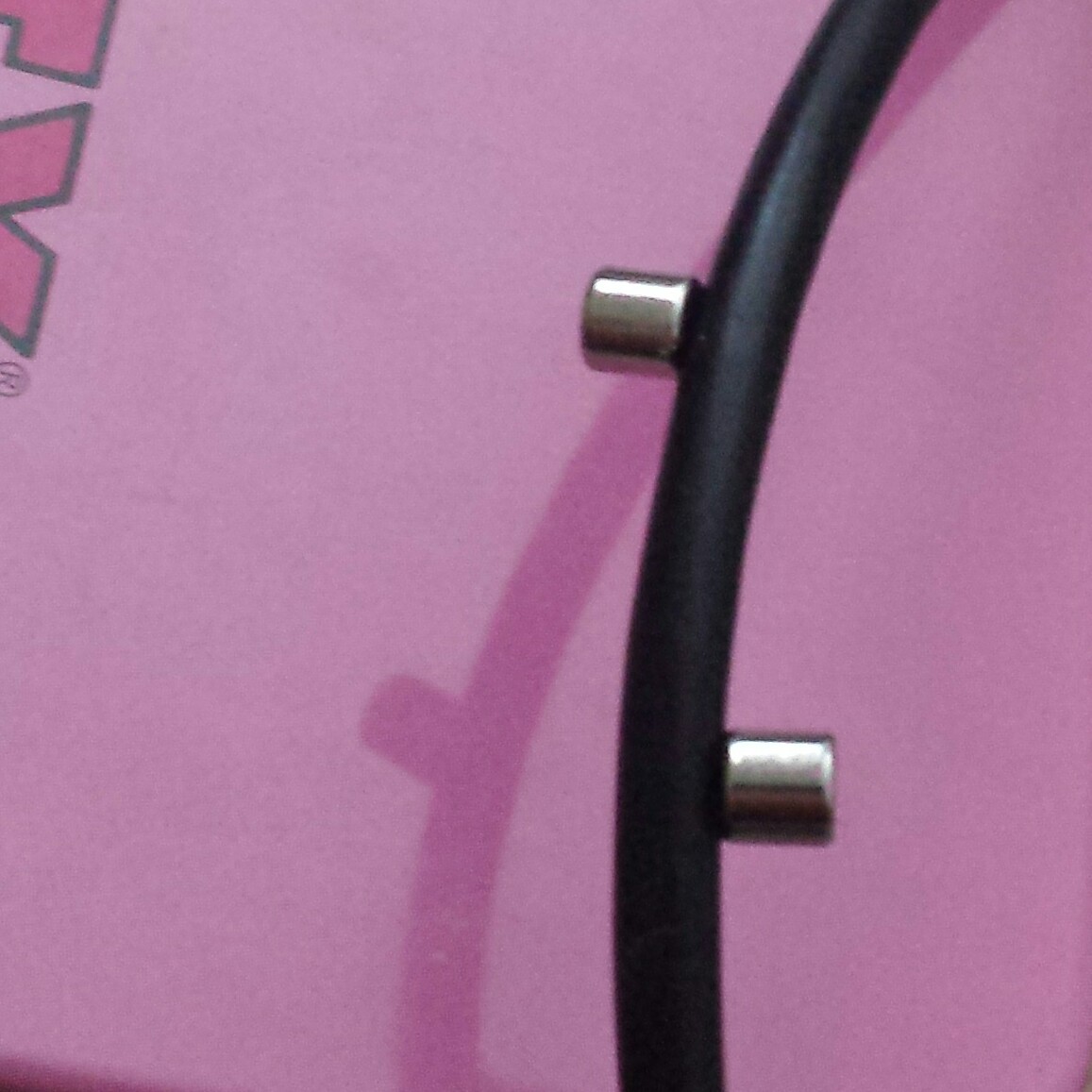
I found one of my little magnets stuck to my USB to micro USB phone charging cable. I thought this was a bit odd, since cables usually have copper wire or sometimes aluminum shielding. Why put a magnetic iron wire in a cable?
image

This was the only cable they stuck to, other cables were nonmagnetic. Very curious.

default

2016-06-16 Computer Microphone

I came across a schematic of a computer microphone from Circuit Exchange. This interested me because I have never had any success with using the microphone jack found on the back of desktop PCs. First off, the typical microphone jack seems to be a three conductor, 3.5 mm ‘headphone’ jack, with the tip being the audio signal, the ring connected to +5V through a 2.2k resistor, and the sleeve grounded. Thus it is not stereo, and it is meant to be used with a microphone that has a preamplifier. So I solved these problems by buying a Beringer U-Control for a few tens of dollars. It plugs into a USB port and has stereo.

But what interested me about this circuit is its use of a microphone preamplifier and the use of the computer’s +5V power. For a long time I have wanted to build a remotely powered microphone that uses only two wires, a single twisted pair. Both power and signal are on the same pair, just like a telephone set. In fact, I built a power supply for two telephones, and just used a pair of old telephone sets (see notes at end).

One problem I see with this circuit is it uses three wires. The problem is that most low voltage cables come in two wire unshielded twisted pairs, such as for telephone wiring, or they have wires that are shielded with a piece of foil and a bare ‘drain wire’. Shielded wire is more expensive but not common and unshielded twisted pair is inexpensive and very common.

In this case, one wire is power, so the microphone signal is on the other wire and power and signal return through the ground wire. This means that the audio signal is not balanced, so the cable should be shielded. For a long length of shielded cable this could be expensive.

A solution could be to use two pairs. One pair would be power and ground. The second pair would be the audio signal, balanced relative to ground. The microphone circuit would have a transformer to change the unbalanced primary and change it to a balanced secondary winding of low impedance that is not connected to ground. The other end would use another transformer to change it back to unbalanced. This would allow using unshielded wire, but the transformers are expensive and not easily obtainable. Some designs eliminate the transformers by using transistors to make the signal balanced, but this is still more expensive than a simpler circuit (for more transformer information see notes at end).

My original intercom
At one location where I lived, I built an intercom. It had four locations, and the intercom didn’t have microphones, it used small speakers as microphones. To hook them up, I used a lot of four wire ‘IW’ — inside wire that the telcos used. This cable had four wires and none of them were twisted together to form a pair. I built a preamp that I could connect between the speaker and cable, and I used black for common negative, and yellow, since those two wires were not used for a single line phone.

Some of the longest cables were well over 100 feet or 30 meters long; probably more like 130 to 150 feet. Several cables ran through places where electrical cables were, and underground. I really didn’t have a problem with AC hum – I could hear it faintly. I think the biggest problem was having the speakers pick up low frequencies because the cone was much larger than a microphone. And one time one of the remotes was ‘bugged’ by a cricket that was louder than anything else.

The system was meant to be used for listening for intruders or vandals. I could switch the direction, so I could talk into the speaker and one remote could hear me. But almost all of the time I was just listening. One thing I found was that a speaker a few inches across was too obvious, people could see it and figure out what was going on. Some vandals then tried to damage the speaker.

Back then there was no law about having to get the consent of the person before recording. And of course there were no such things as video surveillance systems. Video would have to use coax cable, which is much larger and more expensive. The coax cable must be fitted with coax connectors, typically crimp-on F Type or Type BNC.

More Recently
Today, things are much different. Higher technology, and more legal complexity. The video surveillance is much better than audio alone. But the audio can still be useful. Because an audio microphone and its cabling is so much cheaper than a video camera and coax, more microphones can be located at more monitoring points. The cabling can be the same as telephone cabling. If two pairs of wires are available then one pair can be used for power, and the other pair for the audio signal. But I had always thought that a single pair should be used for both power and signal, like a telephone.

The idea is to amplify the weak microphone signal at the microphone before it is sent over the long cable. This makes the signal much greater than noise, hum and other interference such as radio stations.

I found several schematics of circuits that used a simple resistor and capacitor to separate the power and audio at both ends. The capacitor blocks the DC power, but passes the audio. The capacitor and resistor are used to keep the audio out of the DC power. There are typically two transistors, the first one is a common emitter which boosts the low voltage microphone signal, and the second is a common collector or emitter follower, to drive the long cable at low impedance.

One other version uses a single transistor to amplify the microphone voltage, and a transformer to match the transistor’s high output impedance to the low cable impedance of a few hundred ohms. But transformers are expensive and can pick up AC hum if they are not shielded. Some of the highest quality microphones use transformers, but in my case I don’t need high quality, or high fidelity audio, and low cost is more important.

The two transistor circuit has a common ground, so it is not balanced. But the circuit is small, only a square inch or 5 cm square, so it has very little difference in its imbalance compared to the overall cable and circuit.

The power is blocked from the audio signal by a capacitor. The power is passed through a resistor and audio is removed by another large capacitor. There is a lot of the power wasted in the filter circuits, but the microphone amp and driver transistors get enough to drive the twisted pair line at high enough level to overcome any noise.

There are other ways of doing this. One was would be to modulate the audio on to a Frequency Modulated carrier. This is more resistant to noise than audio alone. With two separate carriers, the cable could have two separate microphones for stereo.

The audio could be digitized before it is sent over the twisted pair cable. Depending on the cable length, the audio and even video might be sent. But many security cameras are already designed to be powered by the Cat5 datacomm cabling and talk to the network like a computer, so it would be easier to replace the single pair with inexpensive Cat5 datacomm cabling and get high resolution video, and also have high speed datacomm.

One example of reusing a single twisted pair for high speed datacomm is DSL. The telcos use DSL modems to get up to 1.5 megabits per second from the central office to homes, or even higher from a neighborhood concentrator to homes (“at&t Uverse”). This is using a single ‘Cat 0’ twisted pair made for telephone use only.

More Recent Technology
I thought about what has been going on in the last decade with data communication. Most people have heard of WiFi and Bluetooth but few have heard of ZigBee. All are a way of communicating between smart devices so that voice and data can be shared between multiple devices. In this case, radio frequencies are used between smart devices. But since power is needed at the remote end, a cable must be run to it, so it seems logical to use the cable for both power and signals.

The bandwidth will not be that high. A telephone set can use digital compression and get reasonable voice quality with 9600 bps (bits per second). There are modems and line drivers that can go up to a megabit or more over telephone cable, so a few hundred kbps seems reasonable for an unshielded twisted pair of 300 meters or 1000 feet long.

The main thing that is needed is a dedicated computer at each end to implement some kind of protocol to compress, decompress, and do error correction on the data.

default

2016-06-10 Dell Windows Tablet

Yesterday I ordered a Dell tablet with Win 8.1, etc. It has a 10 inch screen, quad core atom CPU, 2 GB RAM, 64 GB SSD, etc. This is a refurbished one.  I got the notice this morning that has been shipped.

One thing I miss a lot on my Android phones is a real keyboard with control, function and other keys.  But I really miss the apps (programs) that run only on Windows.  Some specialized programs just haven’t been ported over to Android yet, and may never get ported.  I would love to see them run on Linux, too.  Thus, getting a Win tablet will let me have the best of both worlds.

Will it hold up under personal use? Time will tell.

Update Jun 14 – I received the tablet this afternoon. I think the packaging weighed more than the tablet. I tried pressing, then pressing and holding in the button labeled with the Windows pane, but it wouldn’t come alive. I left it on the charger for a few hours to see if that will help. It’s been a few hours, and the white LED next to the micro USB port has been lit all the time. I tried again to power it up, but i got nothing, it’s dead, Jim.

I looked online for an instruction manual or something that will tell me if I’m doing something wrong. I found a lot of hits when I searched for Dell tablet won’t power up. It seems that this is a rather common problem. Since this is refurbished, I think I may have got a dud. I may call the seller tomorrow and ask them to send a replacement and reimburse me for shipping costs.

I contacted them and they sent a prepaid UPS label, so I’m sending it back. But I asked for a refund, not a replacement.

Tags: ,
default

2016-06-07 Wingnuts by John Avlon

I just finished reading Wingnuts, which is about the radical right- and left-wing political extremists. It is a very good book, describing the many political and influential people in ‘the age of Obama.’ These extremists remind me of the biblical saying, ‘If thy right hand offend thee, cut it off…’ in that the extremists are willing to sacrifice moderates in their party in order to extend their ideological extremism. It makes the point that this extremism has been in politics since George Washington was president.

In the conclusion Avlon gives three ways to bring this country together and get past this problem.

default

2016-06-05 Toroid Cores 10 mm .4 Inch Green

I was on eBay and saw some small green ferrite toroid cores, ten for 99 cents including shipping.  I figured that since I had bought some larger green cores a few weeks ago and liked them, I couldn’t go wrong buying these since they were less than ten cents apiece.

They were sent from an address in China.
From: 3 FLOOR 31 BUILDING, FUMING INDUSTRIAL PARK PINGFU TOWN LONGGANG DISTRICT SHENZEN
zip:  518111     tel:  13428933145

This is the same address that the large cores were shipped from last month. Last month my email from PayPal showed the seller’s name in Chinese, which I can’t read.

I received them this weekend and put one on my LC meter.  I put a short piece of wire through the core and measured it, and like the larger cores, it measured about 1.3 uH.  Then I wound about a foot of wire (about 18 turns) on it, and I measured 1.5 millihenrys.  I wound another core with ten turns of 24 AWG solid insulated telephone wire and it measured 520 uH, which is a good value for a Joule Thief. There is still enough room to wind a second feedback winding on it. It would be okay to use 5 or 6 turns to give more than 100 uH, enough for a Joule Thief.

default

2016-06-04 Crystal Radio Coils, Crystal Diodes

I was reading some of Geo John’s projects and came across a crystal radio set that he built using two tuned coils. A crystal radio set refers to the type of detector used, which was once a galena crystal and a ‘catwhisker’ to find a sensitive spot on the crystal. Nowadays, that is no longer used, it has been replaced by germanium and silicon diodes.

The idea of the circuit was to get high selectivity by tuning the antenna input coil with a series capacitor, and also tuning the station selector coil with a parallel capacitor. These two coils are electrically linked together by a ‘link’ which consists of a few turns on one coil connected to the same number of turns on the other coil. The author inserted a low value resistor – 22 ohms – in series with one link wire to make the coils less tightly coupled. These two coils have to be tuned with two separate tuning capacitors, so the operator has to do one, then the other to get peak volume.

Both tuning capacitors were dual 335 pF with both sections in parallel for 670 pF total. For the coils, he used two T80-15 powdered iron cores with Litz wire, which is expensive and hard to obtain, but gives better results than regular enameled wire. He first used 30 AWG wire but wasn’t satisfied with its performance. He also showed a similar Heathkit crystal set that uses two tuning capacitors. This use of two tuning capacitors reduces interference from other powerful stations close by in frequency.

Interesting development

I was looking for Litz wire on eBay and found a seller with the type that he used in his project. But I found another thing on the seller’s store. I started reading about this in the links he included.

New Way Of Detecting For Crystal Sets

The author, Geo John, talked about using diodes for detecting the radio signal, but never mentioned this method. In the last few years, I and others found out about zero voltage MOSFETs, one made by ALD. We wanted to use these for Joule Thiefs, because they would work at much lower voltages than regular silicon transistors.

But shortly after these became available, the Crystal Set builders found out about them and started to use them as detectors in crystal sets. They give an audible signal with a very small or even no antenna. This is much more sensitive than the usual 1N34 germanium diode used in most crystal sets, which requires an antenna and ground for good performance. Some of the radio signal is fed through the MOSFET, while the MOSFET’s gate is connected to the tuning ‘tank’ circuit. Every time the radio frequency signal hits a peak voltage, it turns on the MOSFET, and it lets the higher current through to the earphone. So very low level signals that could not get through the germanium diode can get through the MOSFET to the earphone and be heard. Even though this MOSFET is more sophisticated and expensive than the diode, the ‘crystal set’ still is powered only by the signal of the radio station, so it is still just like a crystal set.

Warning
I would like to add that I have found out from experience that connecting any type of transistor to an antenna is a very bad idea. Eventually a thunder storm comes by and the transistor becomes a melted lump of silicon after the first lightning flash. The high voltages induced in the antenna will get through to the radio and take the path of least resistance, which is any semiconductor – crystal, transistor, whatever. If you are doing this, it is a good idea to put the semiconductor in a socket, and tape a small bag of spares inside of the radio. Some might say that a lightning arrestor will take care of the problem, but I have seen many transistors protect the lightning arrestor. If you want protection, install a ground at the antenna’s lead into the building, and connect the antenna wires to the ground when it is not being used.

I saw a lightning bolt strike a seven strand aluminum wire about 9mm or 3/8 inch diameter. It left about 7 meters or 25 feet of the wire melted into short lengths scattered on the ground. Mother Nature does NOT play around when it comes to lightning! :-O

default

2016-05-28 The Five For A Dollar Toroid Core Is Back

A few years ago the Joule Thief fans and others built many projects with a very popular toroid core that was sold from Electronic Goldmine, a surplus electronics company, for the affordable price of five for a dollar.  Eventually the supply was all sold and it was no longer available.  The stock # was G6683.

Today, it looks to me as if the same toroid core is now available again, although the price has gone up.  It is Stock # G21322 from Electronics Goldmine for a dollar apiece.

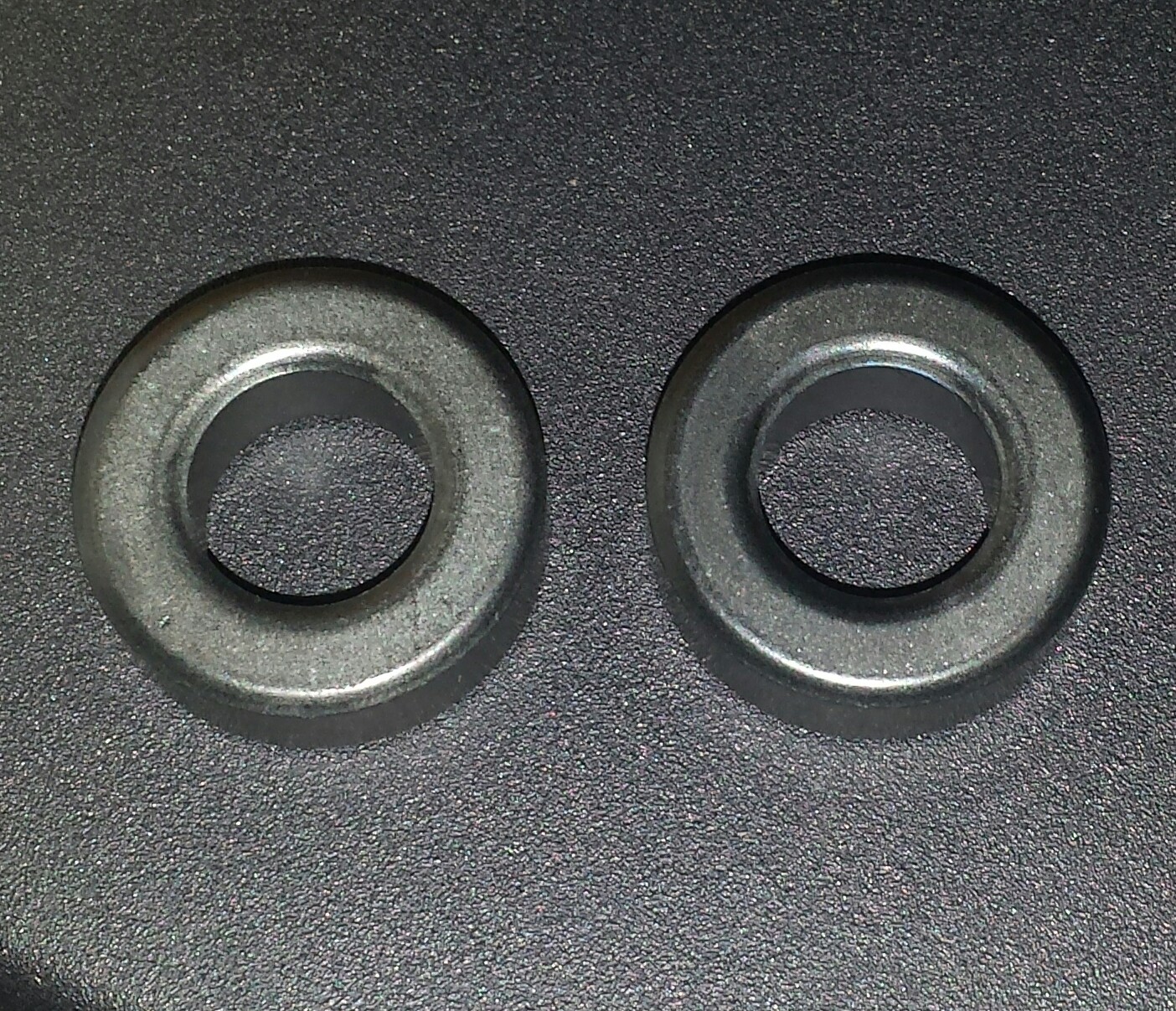
image

Old and New

I ordered a few of these cores last week, and received them this Memorial Day weekend.  Using a calipers, I compared these new ones to the original 5/$1 cores, and found them identical in size and shape.
Both cores were 25 mm or .985 inch O.D., 12.9 mm or .51 inch I.D., and 9mm or .356 inch high.  Both cores were bare, uncoated ferrite.

I wound ten turns on the new core and measured 1.3 millihenrys.  This high value means these cores are high mu aka high permeability.  The old cores were, too.  I used a short piece of wire to put through both cores, it is equal to a single turn. I measured a few of each. Both the old and new cores measured between 3.1 and 3.35 uH, which is very close to being the same.

At the price of 5/$1, I would expect cores would come from culls or leftovers from the manufacturing process.  Typically, this process receives cores after they have been baked in batches, and they are tested and sorted according to the data sheet specifications.  If a core does not meet these specs, it is culled and is put into the factory rejects bin.  One test parameter that it may not meet is the mu or permeability, which affects the inductance.  The inductance could be too low or too high.  So when the core is tested, it would not be representative of the the typical inductance and not close to the inductance of the other cores. This does not mean the cores are defective, it just means they are not within the limits of the specifications.

So those who wish to build one of the projects requiring the old core now have a reasonably priced equivalent that can be purchased from the same surplus company. You will just have to pay more. If you want to search for a rough equivalent from another electronic supplier, you might try searching for FT87-75, which is a more common designation in this industry. The FT must mean Ferrite Toroid, the 87 is the O. D. of the core, and 75 is the type of ferrite ‘mix’ that is used. SurplusSales.com also has a good selection of ferrite cores, including this one, from various manufacturers.

One other point that should be noted. For some experimenters, getting the exact part is the best choice, and allows building a project exactly to the plans. For some like me, building a project and experimenting with different parts is a fun way to go. Once you have had fun winding your toroid, and your project works great, don’t be afraid to experiment a little. Take the little toroid out of a dead CFL light bulb and try it in your project. You can find out how to do this by watching YouTube videos.

© RustyBolt.Info/wordpress
CyberChimps